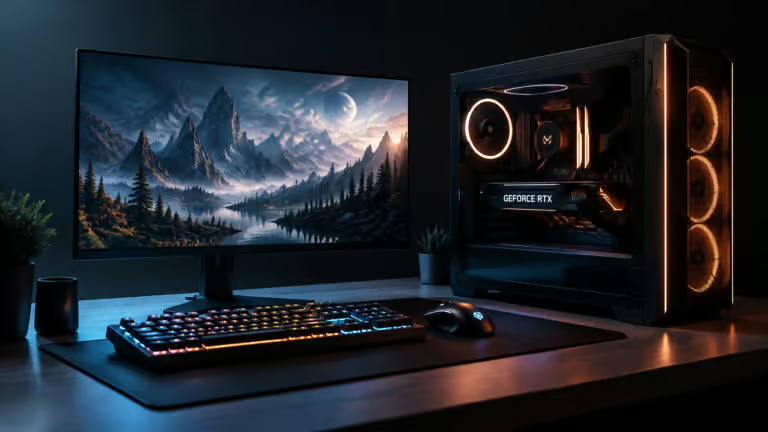
When considering a new computer, it’s essential to approach the budgeting process with a clear strategy. Many people make the mistake of focusing solely on the price of the computer itself, neglecting the total cost of ownership, which includes peripherals like monitors, keyboards, and storage devices. Have you ever found yourself surprised at checkout by the additional expenses? This guide will walk you through the steps of establishing a comprehensive budget that accounts for all components, ensuring you make a well-informed decision without overspending.
In this article, you’ll learn how to define your needs, select the right platform, allocate your budget effectively, and consider both pre-built and custom options. By the end, you’ll have the tools to make your computer purchase a smooth and financially sound experience.
Step 1: Determine Your Requirements Before Shopping
Identifying your primary use case is the first step in budgeting. Whether you’re focused on everyday tasks like browsing and streaming or more demanding activities like gaming and video editing, your needs will dictate your budget range. Basic tasks can often be handled by devices priced between $400 and $700, while more intensive workloads may require a budget of $1,000 or more.
Align Your Use Case with a Price Tier
Your budget should reflect your core requirements along with some flexibility for additional features. For instance, light graphic design or video streaming typically fits within the $700 to $1,000 range. On the other hand, serious gaming or professional content creation can push your budget to $2,000 or beyond.
Establish Minimum Requirements
For those who prioritize mobility, consider laptops that offer a balance of performance and battery life. Aim for a minimum of an Intel Core i5 or AMD Ryzen 5 processor, 8GB of RAM, and a solid-state drive (SSD) of at least 256GB. This basic configuration will ensure smooth operation for the majority of everyday tasks.
Step 2: Choose Your Platform Wisely
Your choice between a desktop and a laptop significantly impacts your budget. Desktops generally offer better performance per dollar and greater upgrade potential. Conversely, laptops provide portability, ideal for on-the-go usage.
Desktop Versus Laptop: Weighing Your Options
If you’re leaning towards gaming or heavy applications, a desktop will often yield better performance for the price. However, if portability is key, look for mid-range laptops that can handle everyday multitasking without breaking the bank.
Considering Consoles for Gaming
If your primary focus is gaming and you’re on a tight budget, a console may be a more cost-effective choice. For instance, an Xbox can deliver excellent gaming experiences at a lower initial cost compared to a gaming PC.
What About ChromeOS?
Keep in mind that if you opt for a device running ChromeOS, your software capabilities will be limited to web and Android applications. This can affect how much you need to spend, as many ChromeOS devices are budget-friendly but may not meet all your computing needs.
Step 3: Set a Realistic Price Range
Understanding what you can get for your budget is crucial. For example, a budget of $1,000 typically allows you to purchase a decent gaming desktop or a well-equipped laptop.
Desktop Options from $500 to $3,000
In the desktop market, entry-level systems start around $500, while more robust gaming rigs can run up to $3,000. If you’re eyeing a gaming setup, you might want to consider models like the HP Omen or the Lenovo Legion series, which offer solid performance at various price points.
Laptop Choices Under $1,000
Plenty of options exist within the sub-$1,000 range, such as the HP OmniBook 5 or the Dell XPS 13, both of which deliver good performance for everyday tasks. Remember, your choice here will depend on how much power you need for your specific use case.
Step 4: Allocate Your Budget Across Components
Once you have a clear idea of your total budget, it’s time to decide how to distribute that money across various components. The graphics card (GPU) should take precedence, especially for gaming or design work.
Invest Heavily in the GPU
The graphics card is the heart of any gaming or creative PC. Aim for a model with at least 8GB of dedicated VRAM to ensure smooth performance in demanding applications.
RAM Considerations Based on Your OS
Your operating system will dictate your RAM needs. For gaming, 16GB is the sweet spot, while casual tasks may only require 8GB. Heavy multitasking or creative work? Consider bumping that up to 32GB or more.
Storage Solutions: SSD and HDD
Don’t skimp on storage. An SSD is essential for your OS and frequently used applications, while a secondary hard drive can provide ample space for larger files.
Step 5: Factor in Peripherals and Accessories
Don’t forget about the additional devices that will enhance your computing experience. A good monitor, keyboard, and mouse are crucial for getting the most out of your setup.
Monitor Matching Your System
Make sure your monitor is compatible with your computer’s capabilities. For a gaming setup, aim for at least a 1080p resolution with a refresh rate of 120Hz or higher.
Essential Accessories
Invest in a decent mechanical keyboard and a gaming mouse to improve your overall experience. Plus, consider external storage options to avoid expensive internal upgrades.
Step 6: Build Versus Buy
Deciding whether to build your own PC or buy a pre-built model is a significant choice. Building can often save you money and give you more control over components, but it requires technical know-how.
Step 7: Save and Shop Smart
Setting aside a specific amount each month can help you reach your budget goal faster. Use price comparisons and look for deals during seasonal sales.
Step 8: Understand Financing Options
If you’re considering financing, ensure the monthly payments fit comfortably within your budget. Avoid high-interest plans that can turn a bargain into a burden.
Step 9: Calculate Cost-Per-Year
Finally, think about the long-term value of your purchase. Divide the total cost by the expected lifespan of the device to understand its annual cost. A well-maintained high-end rig can last significantly longer than a budget model.
By following these steps, you can effectively budget for your new computer while ensuring you get the best value for your investment.