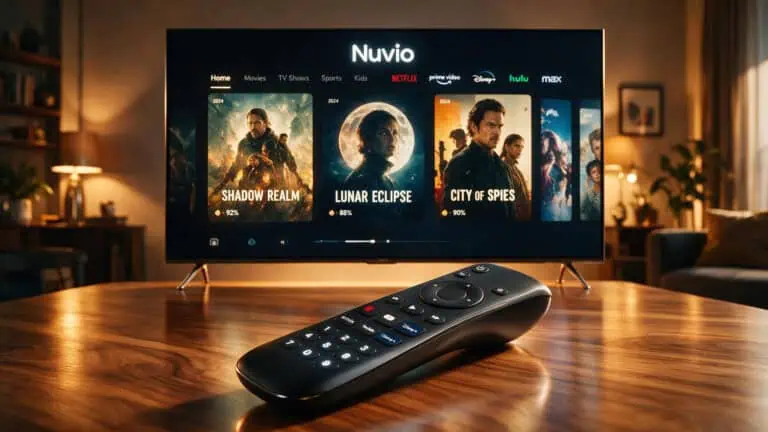
You might have stumbled upon the term «Nuvio Web» and immediately thought of a traditional streaming platform. However, that assumption could lead you astray. Nuvio Web isn’t a consumer-friendly streaming service; rather, it serves as a foundational codebase designed for TV builds. If you’re hunting for a straightforward browser-based media player, you may find yourself out of luck. This article delves deep into what Nuvio Web truly represents, its capabilities and limitations, and how it stacks up against its desktop and mobile counterparts. By the end, you’ll be well-informed about which version of Nuvio suits your needs best.
Nuvio Web: Understanding Its True Purpose
First things first, let’s clarify what Nuvio is all about. Nuvio functions as an open-source media center rather than a streaming service. It offers a user-friendly interface for managing and syncing your media library across multiple devices. Importantly, it does not host or distribute any content on its own; instead, it relies on user-installed extensions for media playback.
Though you can run NuvioTV Web in a browser for development purposes, its primary role is to serve as a packaged application for smart TVs. This means that while it may be available in a browser, it’s not designed for everyday use in that format.
Nuvio’s Connection to Stremio Addons
Nuvio has an integration with the Stremio addon ecosystem, which allows users to discover and manage content effectively. By installing Stremio extensions, you gain access to catalogs and playback sources. Nuvio acts as a polished interface that enhances your viewing experience while syncing your watch progress and library management.
If you’re curious about the relationship between Nuvio and Stremio, think of them as partners rather than competitors. Nuvio enriches the user experience through refined library organization and synchronization, while Stremio functions as a separate streaming platform.
Features of Nuvio: Cross-Device Sync and Library Management
One of the standout features of Nuvio is its ability to synchronize profiles, watch progress, collections, and more across various devices. Imagine starting a movie on your TV, pausing it, and seamlessly picking up on your tablet—Nuvio makes that possible.
Profile Synchronization Across Devices
Each user can set up their own profile, complete with unique watch histories and settings. This means you won’t accidentally disrupt someone else’s viewing experience or recommendations.
Continuing Your Viewing Experience
Nuvio ensures that your watch progress is updated in real-time, allowing you to transition smoothly from one device to another. We tested this functionality between Nuvio Desktop and Mobile, and the results were impressive.
Library Management and Collections
You can easily save titles and organize them into collections. The detail pages offer a wealth of information, including artwork, ratings, and recommendations. It’s akin to having a comprehensive media library at your fingertips, all thanks to user-installed addons.
Trakt Integration
For those already using Trakt to track their viewing habits, Nuvio integrates effortlessly. Your Trakt data syncs with Nuvio’s tracking system, allowing you to maintain a unified watch history.
TV-First Design and Supported Platforms
The Nuvio Web interface you might experiment with in a browser is mainly for development. The actual product is optimized for smart TVs, making it easier to navigate with a remote control.
Supported platforms include:
This interface is designed with big buttons and a focus on remote navigation, making it user-friendly for TV viewers.
Installing Nuvio: A Platform Guide
Getting Nuvio set up can vary depending on your device. The desktop installer for Windows, macOS, and Linux is user-friendly. However, each platform has specific requirements.
Desktop Installation
For Windows users, the installation process is straightforward. macOS and Linux users may encounter some obstacles.
For macOS users: You might need to use terminal commands to bypass security features. Trust the source; it’s open-source software.
For Linux users: The AppImage format requires you to make it executable before use.
TV Installation for Samsung and LG
For Samsung Tizen TVs, using TizenBrew makes installation easy. Just add the appropriate GitHub module to pull the latest build.
For LG webOS TVs, the Homebrew Channel is your best bet. This method ensures clean installations and automatic updates.
Advanced Installation Options
If you’re a developer looking for more control, you can use Tizen Studio or webOS CLI tools to create your own builds.
Comparing Nuvio Web, Desktop, and Mobile Versions
So, what’s the difference among the various versions of Nuvio?
NuvioTV Web serves primarily as a development tool. It’s not intended for daily media browsing and lacks the TV-optimized features of packaged apps.
Nuvio Desktop offers the full library browsing experience with native performance, making it ideal for PC and Mac users.
Nuvio Mobile is perfect for syncing and remote control features. It keeps your library organized while allowing you to control playback on your TV.
Clearing Up Misconceptions: What Nuvio Web Is Not
Some confusion arises from a design concept titled «Nuvio: Your Smart AI TV Companion,» which showcases features that are not currently part of Nuvio’s functionality. While the concept is intriguing, the real Nuvio focuses on fluid navigation, profile synchronization, and integration with Stremio addons.
If you’re hoping for AI-driven features or voice control, you may need to temper your expectations.
The Community and Development Status of Nuvio
Nuvio is an actively maintained project with a solid community backing it. The GitHub repository boasts over 6.1k stars and numerous contributors, indicating a healthy development environment.
Legal and Functional Boundaries
It’s essential to note that NuvioTV Web is not associated with any third-party content providers. It serves strictly as a client-side interface, relying on user-installed addons for any media content.
In summary, if you’re looking to navigate the world of Nuvio, remember that NuvioTV Web is primarily for installation on smart TVs, while the desktop and mobile versions offer a rich experience for everyday media management.